

Formatting, Minify, and Unescape
The editor toolbar is designed for quick cleanup and conversion workflows.
Core actions
Section titled “Core actions”- Beautify: pretty-print valid JSON with consistent indentation.
- Minify: collapse valid JSON into compact one-line form.
- Unescape: appears automatically when the editor detects escaped JSON content.
Example: same payload, escaped and unescaped
Section titled “Example: same payload, escaped and unescaped”Start with regular JSON in the editor:
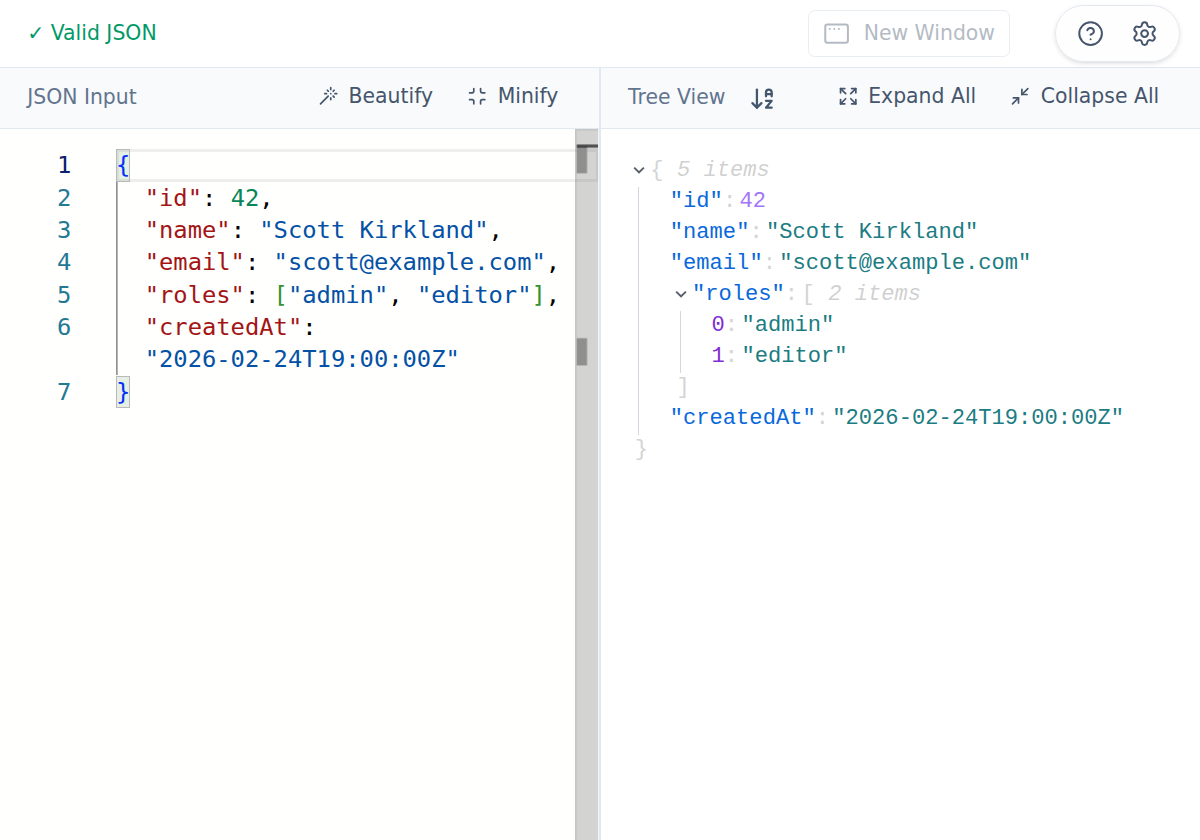
{ "id": 42, "name": "Scott Kirkland", "email": "scott@example.com", "roles": ["admin", "editor"], "createdAt": "2026-02-24T19:00:00Z"}In the Mac app, Edit → Escape JSON converts that into a JSON string payload:
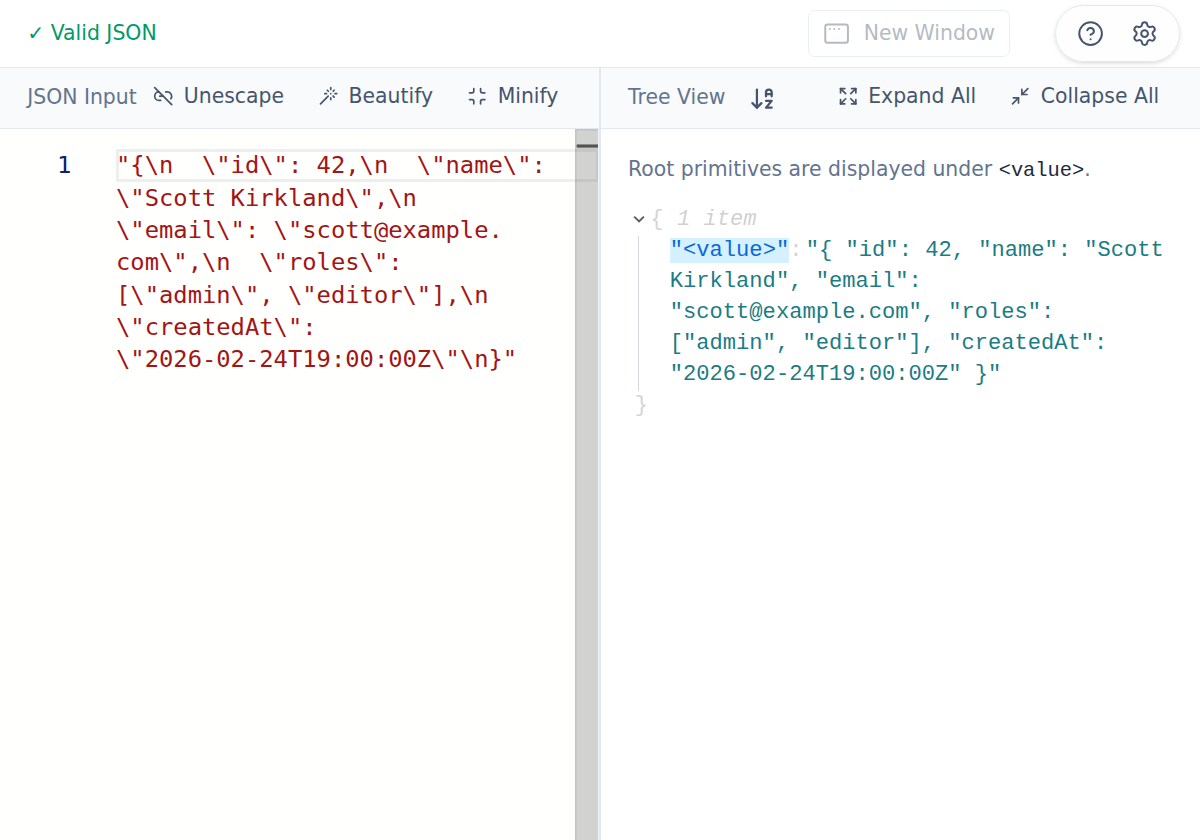
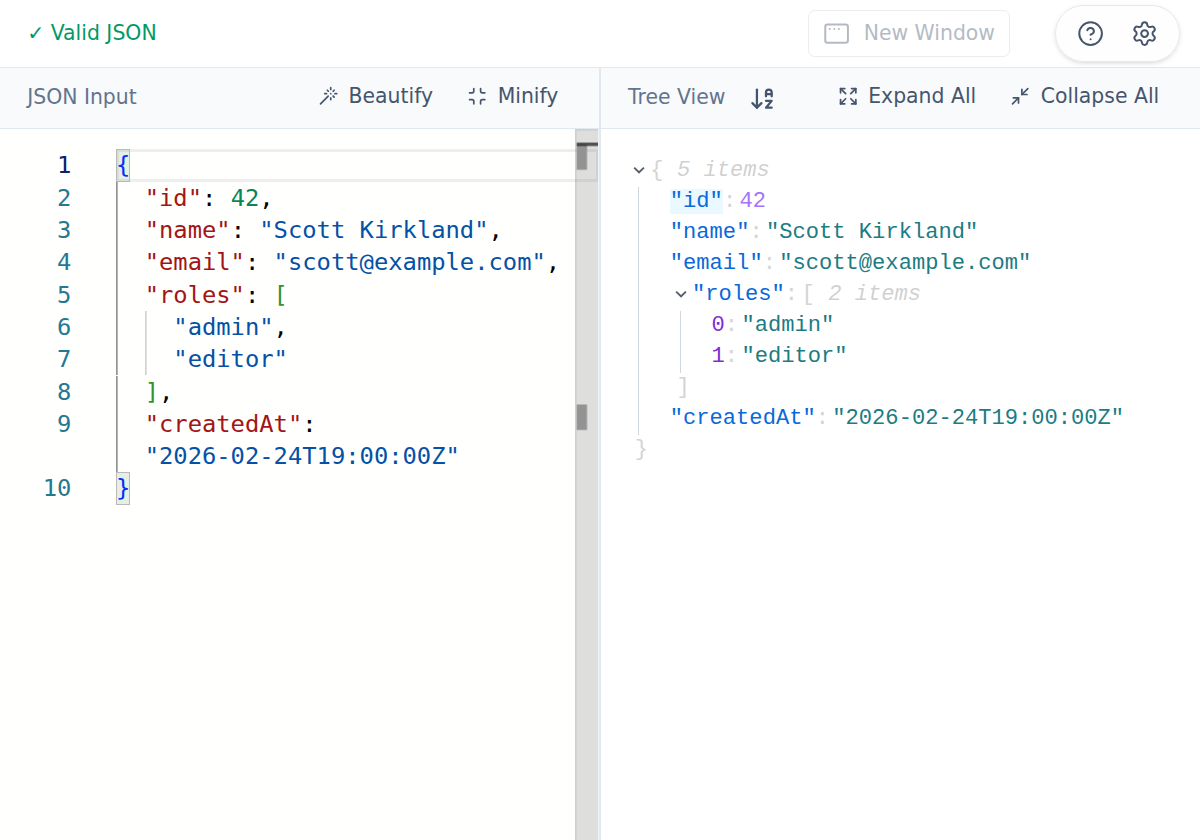
"{\n \"id\": 42,\n \"name\": \"Scott Kirkland\",\n \"email\": \"scott@example.com\",\n \"roles\": [\"admin\", \"editor\"],\n \"createdAt\": \"2026-02-24T19:00:00Z\"\n}"When that escaped form is present, Unescape appears in the toolbar. Clicking it restores the same editable JSON structure:
Desktop menu companion
Section titled “Desktop menu companion”In the Mac app, Edit → Escape JSON and Edit → Unescape JSON provide the same conversion actions from the menu.